MultiLoca 4.2.2: WooCommerce Multi-Location Inventory Management
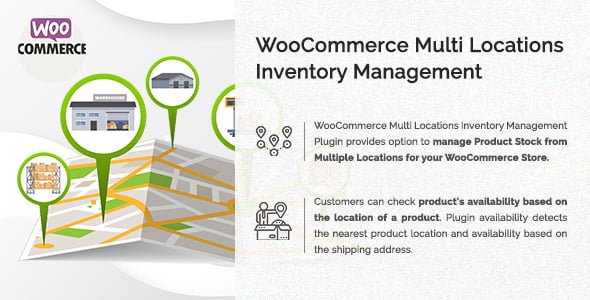
Lifetime update
OVERVIEW
Merchants can effortlessly manage product stock across multiple warehouses, stores, or fulfillment centers—while giving customers precise, location-based availability and checkout options.
🔑 Key Features of WooCommerce Multi-Location Inventory Management
-
Assign Payment Methods by Location
Configure specific payment gateways for each warehouse or store, ensuring local preferences and compliance. -
Customer Location Selection
Let visitors choose their preferred pickup or shipping location directly on the product page—or enforce a global default. -
Backend Location Restrictions
Restrict customer orders to designated regions or locations via simple settings in the WordPress admin. -
Automated Order Routing
Orders are emailed to each location’s dedicated address and WooCommerce location manager, streamlining fulfillment. -
Role-Based Shop Management
Assign Shop Managers to individual locations for decentralized stock control and order oversight. -
REST API for Location Stock
Use the built-in API to fetch and update inventory levels programmatically—ideal for custom integrations and third-party systems. -
Real-Time Stock Availability
Display product quantity or “in stock”/“out of stock” messages per location, boosting transparency. -
Conversion Booster: Nearest Location Suggestion
If an item is out of stock at the selected location, the plugin automatically recommends the nearest alternative with available inventory. -
Geolocation-Driven Allocation
Automatically detect a user’s location in the browser and assign the closest warehouse for shipping or pickup. -
Multi-Warehouse & Store Management
Centralize inventory across multiple locations, with separate stock counts for each. -
Checkout & Cart Location Display
Shoppers can see their selected pickup or delivery location on the cart and checkout pages. -
Location-Based Shipping Zones
Integrate with WooCommerce Shipping Zones by assigning delivery areas to specific warehouses or stores. -
Unified & Sublocation Control
Combine each location’s stock with your default WooCommerce inventory and use sublocations for granular stock tracking. -
Variable & Simple Product Support
Manage multi-location stock for both simple and variable products without extra configuration. -
Distance Display
Show the distance to each warehouse in kilometers or miles, helping customers choose the most convenient option. -
Location-Wise Pricing
Set custom prices per location to reflect regional costs or promotions. -
Automatic Nearest Location Selection
Streamline checkout by automatically selecting the nearest in-stock location based on the customer’s address.
🚀 Why MultiLoca 4.2.2 Is a Must-Have for WooCommerce Stores
By empowering merchants with location-based inventory visibility, automated order routing, and flexible shipping configurations, MultiLoca 4.2.2 tackles common e-commerce challenges—reducing oversells, cutting fulfillment times, and enhancing customer satisfaction. Its REST API, role management, and geolocation features make it ideal for growing businesses managing multiple warehouses or store fronts.
RELATED PRODUCTS
REVIEWS
You must be logged in to post a review.
Reviews
There are no reviews yet.